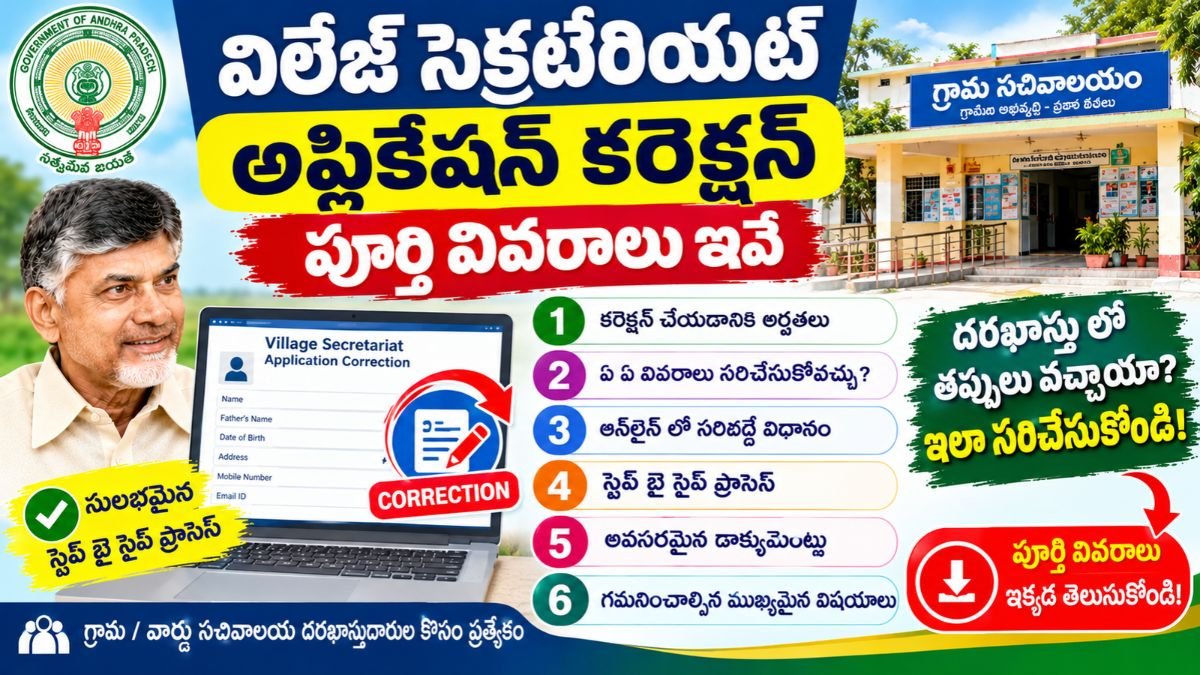
Village Secretariat Application Correction in Andhra Pradesh : Complete Citizen Guide
Submitting an application through an Andhra Pradesh Grama or Ward Secretariat (GSWS / AP Seva) is the standard method for obtaining certificates, revenue services, civil supplies entitlements, and welfare scheme benefits. However, data entry mistakes, misspelled names, wrong contact details, or uploading an incorrect document can stall processing.
If an error is discovered after submission, applicants can initiate an Application Correction before the file reaches final decision stages. Acting early prevents departmental objections, avoids automatic rejections, and keeps the service request moving smoothly through the verification pipeline.
What Is a Village Secretariat Application Correction?
An Application Correction is the formal procedure to rectify clerical discrepancies, update demographic details, or replace invalid document uploads in an active GSWS application.
Corrections generally fall into two broad scenarios:
- Applicant-Initiated Rectification: The citizen spots an error on the acknowledgement slip and approaches the Secretariat to update the data before field scrutiny begins.
- Departmental Query Response: An inspecting officer (e.g., Village Revenue Officer, Welfare & Education Assistant, or Panchayat Secretary) flags an inconsistency and marks the application as “Returned for Clarification” or “Defective Documents”, opening a window for resubmission.
Permissible vs. Non-Permissible Corrections
Not all fields can be edited freely. The government portal enforces verification rules to prevent unauthorized substitution of applicants or beneficiaries.
| Category | Information Field | Correction Permitted? | Required Documentation |
| Demographics | Name spelling & initials | Yes | School marks memo, birth certificate, or valid government identity proof. |
| Communication | Mobile number & email address | Yes | Biometric or OTP verification on the applicant’s phone. |
| Age / DOB | Date of birth adjustment | Yes (Restricted) | Municipal birth certificate or SSC memorandum. |
| Address | House number, street, or ward details | Yes | Recent electricity bill, property tax receipt, or rental agreement. |
| Attachments | Replacing blurry or wrong files | Yes | Clean, legible scan of the authentic document. |
| Land / Revenue | Survey number or sub-division extent | Subject to Inquiry | Registered sale deed, Pattadar Passbook, or Webland 1B record. |
| Core Identity | Changing the applicant entirely | No | Requires a fresh application. |
| Service Type | Switching to a different scheme/service | No | Requires cancellation and a fresh application. |
| Approved Files | Altering a signed certificate | No | Requires a formal post-approval correction/amendment request. |
Feasibility Across Processing Stages
The ability to correct an application depends directly on the workflow stage:
[Submitted / Registration]  ──► Correction Open (Counter Level)
            │
            ▼
[Under Scrutiny / Returned] ──► Correction Open (Query Response / Resubmission)
            │
            ▼
[Field Verification Stage]  ──► Restricted (Requires Officer Endorsement)
            │
            ▼
[Final Decision / Approved] ──► Locked (Requires Formal Modification Service)
- Submitted / Pending Scrutiny: Highly accessible. The Digital Assistant or data operator can recall the application to adjust demographic data or re-scan attachments before forwarding.
- Returned for Clarification: Specifically opened by the evaluating department so the applicant can upload missing documents or rectify questioned details.
- Under Field Inquiry: Limited. Changes require the field verification officer (e.g., VRO or Panchayat Secretary) to record a modification note in their field report.
- Approved or Rejected: The initial application is locked. If approved with errors, you must apply under a specific “Certificate Correction / Mutation” service. If rejected, a new application must be submitted.
Step-by-Step Procedure to Submit a Correction Request
Method A: In-Person at the Village / Ward Secretariat (Standard Route)
- Collect Your Reference: Retrieve the Application Acknowledgement / Receipt received during initial registration.
- Prepare Evidence: Carry original documents and photocopies that prove the correct information.
- Approach the Help Desk: Visit the Digital Assistant (in rural secretariats) or the Ward Data Processing Secretary (in urban secretariats) where the request was originally filed.
- Locate the Record: The operator pulls up your record using the Application ID or registered mobile number.
- Update and Authenticate: The operator enters the corrected details or uploads fresh scans. Where required, complete biometric or OTP authentication.
- Obtain Revised Confirmation: Collect an updated acknowledgement or receipt reflecting the corrected data fields and timestamp.
Method B: Online Resubmission (When Flagged with Objections)
- Check the official citizen tracking portal or the notification SMS for remarks indicating that the application has been sent back for clarification.
- Log in using your registered mobile number and OTP.
- Navigate to Application Status and locate the flagged transaction.
- Read the specific objection raised by the reviewing official (e.g., “Upload legible copy of registered sale deed” or “Clarify father’s name mismatch”).
- Upload a clear PDF scan complying with the file size threshold (usually under 1 MB or 2 MB).
- Submit the response. The file automatically moves back into the departmental verification queue without requiring an additional statutory fee.
Critical Mistakes to Avoid
- Handwriting Corrections on the Printout: Manually striking through errors with a pen on your printed receipt does not change the digital state database. All changes must be processed electronically.
- Filing Immediate Duplicate Applications: Never submit a fresh application while an earlier application with minor errors is still pending. Duplicates can trigger automated system flags, potentially causing both requests to be rejected.
- Missing Resubmission Deadlines: When an application is returned for clarification, address the query promptly. Many government service workflows automatically reject pending queries if no response is received within the designated timeframe (typically 7 to 15 days).
- Using Unverified Phone Numbers: Always ensure the registered contact number is active and capable of receiving SMS alerts so you do not miss field verification notices.
Official Government Portals for Correction & Tracking
- Integrated AP Seva Portal:
vswsonline.ap.gov.in - Grama Ward Sachivalayam Portal:
gramawardsachivalayam.ap.gov.in - MeeSeva Online Citizen Portal:
onlineap.meeseva.gov.in - Public Grievance Redressal (Spandana):
spandana.ap.gov.in
Related Pages
Village Secretariat Application Approval Andhra Pradesh
Village Secretariat Application Rejection Andhra Pradesh
Village Secretariat Application Verification Andhra Pradesh
Village Secretariat Application Tracking Andhra Pradesh
Village Secretariat Status
Village Secretariat Registration
Village Secretariat Online Apply
Village Secretariat Documents Andhra Pradesh