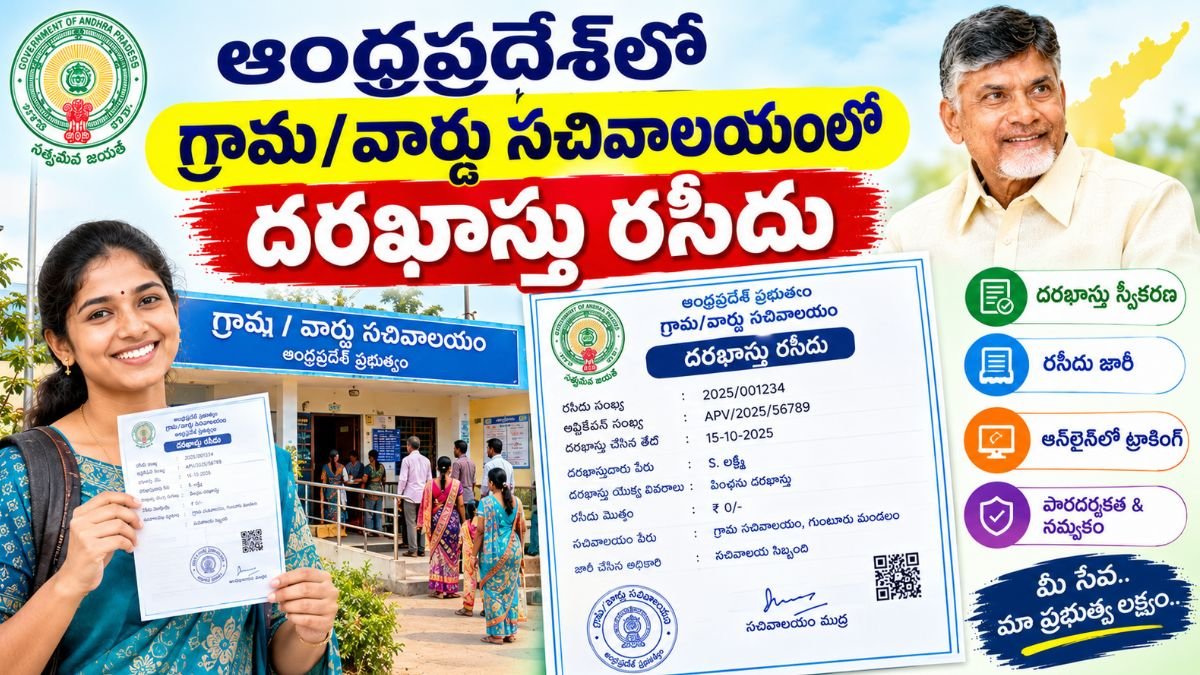
Grama Ward Sachivalayam Application Receipt in Andhra Pradesh: Complete Citizen Guide
The Andhra Pradesh Grama and Ward Secretariat (GSWS) framework functions as a decentralized, single-window service delivery model for rural and urban citizens alike. Whenever you apply for an official document—such as an integrated community certificate, household ration card, social security pension, or land record mutation—the process begins with a formal entry at your local secretariat counter.
The physical or digital slip handed to you immediately after registration is your Application Receipt (often designated as an Application Acknowledgement). While many treat this paper as a temporary transaction note, it is the primary legal and administrative record linking you to the service request.
What Is a Village Secretariat Application Receipt?
A Village/Ward Secretariat Application Receipt is a system-generated document produced by the AP Seva portal once a Digital Assistant or service operator submits your request into the state government workflow.
It serves as indisputable evidence that:
- Your application, along with supporting paperwork, has entered the official database.
- A unique identifier—such as an Application Number or Service Request Number (SRN)—has been assigned.
- The statutory delivery timeframe under the citizen service charter has officially commenced.
Essential Principle: An application receipt confirms system registration, not approval. It initiates the departmental verification pipeline; it does not constitute an approved certificate or welfare sanction order.
Anatomy of the Receipt: Critical Details to Verify
Before stepping away from the secretariat counter, inspect the slip thoroughly. Clerical errors corrected at the time of entry save weeks of bureaucratic delays.
| Printed Parameter | Administrative Function | What to Check |
| Application Number / Transaction ID | The master tracking number used across all AP portals. | Ensure all digits and prefix letters are clearly legible. |
| Applicant Name | Identifies the official beneficiary or applicant. | Verify the spelling matches your legal government identification. |
| Service Name | Specifies the exact scheme or certificate requested. | Confirm the operator selected the exact category needed. |
| Submission Date & Timestamp | Marks the official start of processing time. | Check that it reflects the current date and time accurately. |
| Mobile Number | Receives SMS alerts, field verification calls, and OTP downloads. | Ensure your primary, active phone number is listed. |
| Secretariat Code & Name | Links the file to your local administrative jurisdiction. | Check that your specific village/ward unit is identified. |
| User Fee / Statutory Charges | Documents official service charges collected under MeeSeva/GSWS rates. | Compare the printed amount against what you paid. |
The Operational Lifecycle of an Application
Understanding how your file moves helps set realistic expectations for when and how the receipt comes into play:
[Citizen Submission at Counter]
          │
          ▼
[System Registration & Scrutiny] ──► [Receipt / Acknowledgement Issued]
          │
          ▼
[Field Inquiries] (VRO / Panchayat Secretary / Welfare Assistant)
          │
          ▼
[Competent Authority Action] (Tahsildar / MPDO / Municipal Commissioner)
          │
          ▼
[Approved / Rejected / Clarification Requested]
          │
          ▼
[Final Certificate / Sanction Order Download]
- Submission & Desk Scrutiny: Supporting documents (identity cards, income statements, or land records) are submitted, scanned, and uploaded.
- Registration & Receipt Issuance: The operator submits the application, generates the application ID, and hands you the receipt.
- Field Investigation: Departmental field officers (e.g., Village Revenue Officers, Panchayat Secretaries, or Welfare and Education Assistants) access the file through their internal mobile applications and visit for physical verification.
- Competent Decision: Higher departmental authorities review the field report and either digitally approve, reject, or flag the file for re-inquiry.
- Final Disposal: Upon approval, the digital signature is applied, generating the final certificate or sanction letter.
Application Receipt vs. Fee Receipt vs. Final Certificate
Citizens often conflate these three distinct documents:
- Application Receipt / Acknowledgement: Confirms that your request and uploaded files have been registered on the portal. It holds your tracking number.
- Statutory Fee Receipt: Documents the payment of legitimate citizen-service fees (in accordance with AP ESD-MeeSeva tariff guidelines). On most secretariat counters, the fee breakdown is integrated directly into the acknowledgement slip.
- Final Certificate / Sanction Order: The legally operative end-product (e.g., an Integrated Caste Certificate, EWS Certificate, or Pension Card) bearing the digital signature of the competent authority.
How to Track Your Application Using the Receipt
With the application number from your receipt, monitoring the progress of your file does not require frequent physical visits to the secretariat.
1. Online Portal Tracking
- Visit the official Grama Ward Sachivalayam portal (
gramawardsachivalayam.ap.gov.in) or the AP Seva portal (vswsonline.ap.gov.in). - Navigate to the Application & Transaction Status section.
- Select your identifier type (GSWS Service ID, MeeSeva Application ID, or Transaction ID).
- Enter the application number from your receipt and click Submit.
- The dashboard displays the current desk, pending verification stage, and officer remarks.
2. Status Indications Explained
- Submitted / Registered: The application has reached the system queue.
- Under Scrutiny / Verification Pending: Local functionaries are validating the submitted documents.
- Field Verification in Progress: A local officer has been assigned to visit or cross-check ground records.
- Additional Documents Required: Processing is paused; you must furnish supplementary proof to the secretariat.
- Approved: The signing authority has authorized the request, and the output is ready for printing or digital download.
Troubleshooting Common Receipt Issues
1. Clerical Errors on the Printout
If you spot an error in your name, contact number, or requested service, alert the counter staff immediately before leaving. Once a file is processed further down the administrative chain, modifying basic demographic details requires raising formal correction tickets or re-applying. Never handwrite corrections on the official receipt.
2. Lost Receipt or Forgotten Application Number
Losing your paper slip does not mean your application has been erased from the government database:
- Check SMS Logs: The central portal automatically dispatches an SMS containing the service ID to your registered mobile number upon registration.
- In-Person Search: If no digital record is found, visit the secretariat where you applied. Provide the operator with your full name, registered mobile number, application date, and identity details. Staff can look up your transaction in their backend daily register and reprint the slip.
- Avoid Impulsive Re-applications: Do not submit an identical fresh application just because you misplaced the receipt. Duplicate applications can trigger automatic system rejections for certain services (e.g., Ration Cards, Pensions).
3. Submission Completed but Receipt Not Generated
Power interruptions, internet disconnections, or gateway timeouts occasionally stall receipt printing. In such cases:
- Ask the operator to inspect their Transaction Log or Pending Transactions List before initiating a new form.
- Verify whether the transaction fee was debited. If registered, the operator can generate a duplicate acknowledgement directly from their dashboard history without re-entering your data.
Long-Term Document Preservation Best Practices
- Capture a Clear Digital Photo: Immediately upon receiving your printed slip, take a well-lit photograph or scan of the receipt on your smartphone.
- Maintain a Unified Application Folder: Clip the receipt to photocopies of all supporting documents submitted during that visit (e.g., identity proof, revenue records, salary certificates). If an inspecting officer calls with a query, having the exact reference packet simplifies your response.
- Keep the Record Even After Approval: Do not discard your application receipt once you receive your certificate or welfare grant. In cases of subsequent welfare audits, re-surveys, or renewal procedures, your original receipt number serves as permanent historical proof of submission.
Official Andhra Pradesh Government Links
- GSWS – Andhra Pradesh Government
- Andhra Pradesh Government Portal
- GSWS Information – District Administration, Andhra Pradesh
The Andhra Pradesh Government’s district GSWS information describes Village/Ward Secretariats as a service-delivery mechanism and lists services available through the Secretariat system.
Related Posts
- Village Secretariat Application Documents Andhra Pradesh
- Village Secretariat Application Edit Andhra Pradesh
- Village Secretariat Application Download Andhra Pradesh
- Village Secretariat Application Receipt Andhra Pradesh
- Village Secretariat Application Correction Andhra Pradesh
- Village Secretariat Application Registration Andhra Pradesh
- Village Secretariat Application Tracking Andhra Pradesh
- Village Secretariat Application Verification Andhra Pradesh
- Village Secretariat Application Status Andhra Pradesh
- Village Secretariat Application Approval Andhra Pradesh
- Village Secretariat Application Rejection Andhra Pradesh